Bel Autos
install on your phone
Choose the button you can see. Then follow one step at a time.
Do these actions on your phone, not on this computer.
What to tap
-
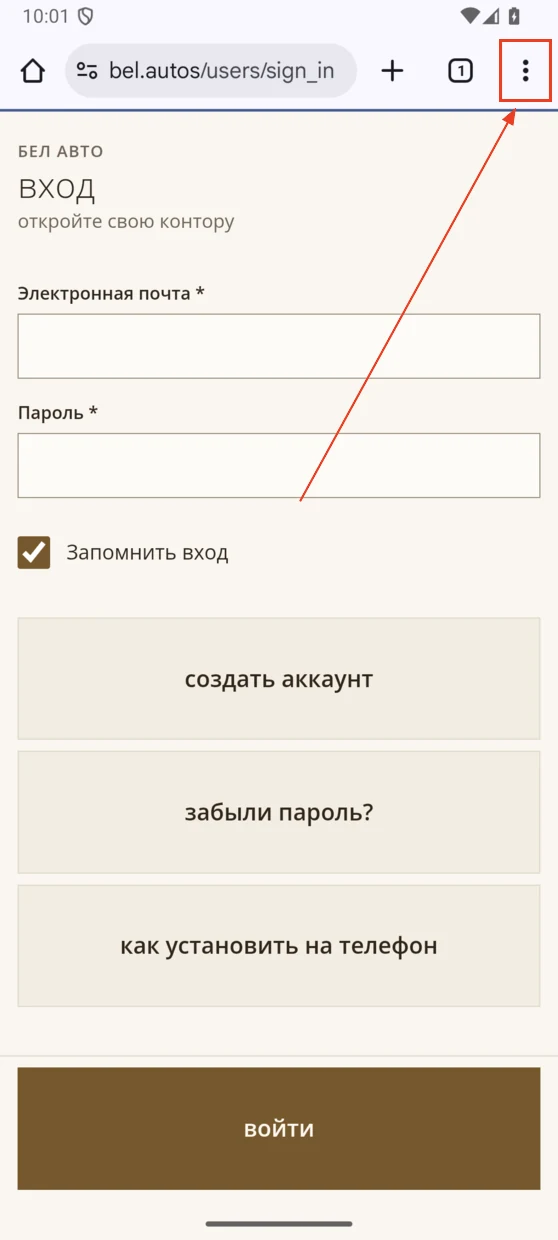
Tap the three dots ⋮
They are at the top right in Chrome.
-
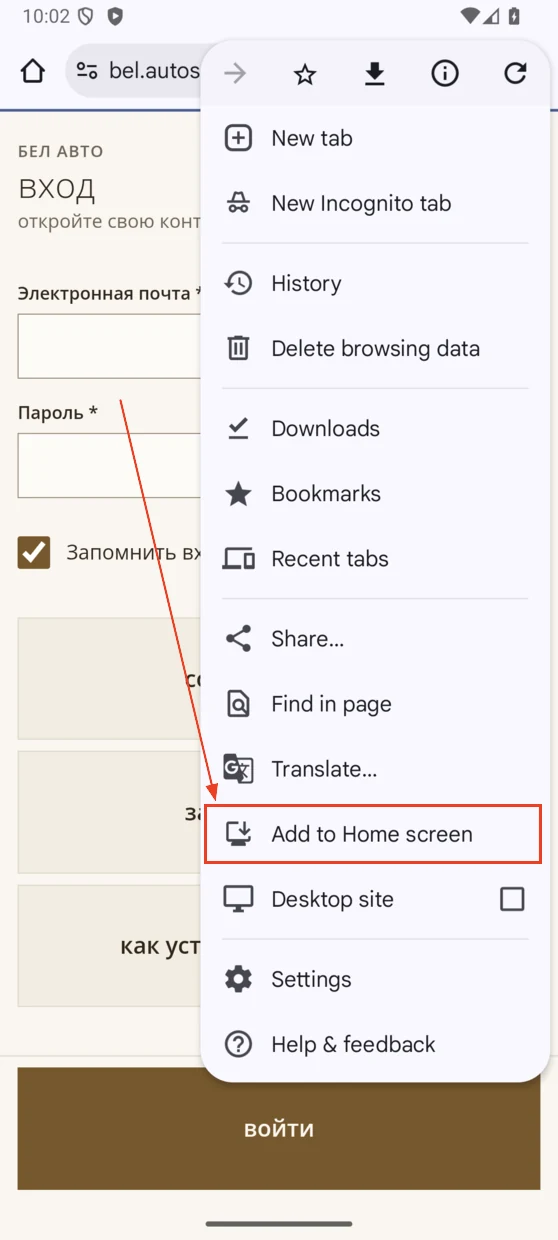
Tap Add to Home screen
It may say Install app instead.
-
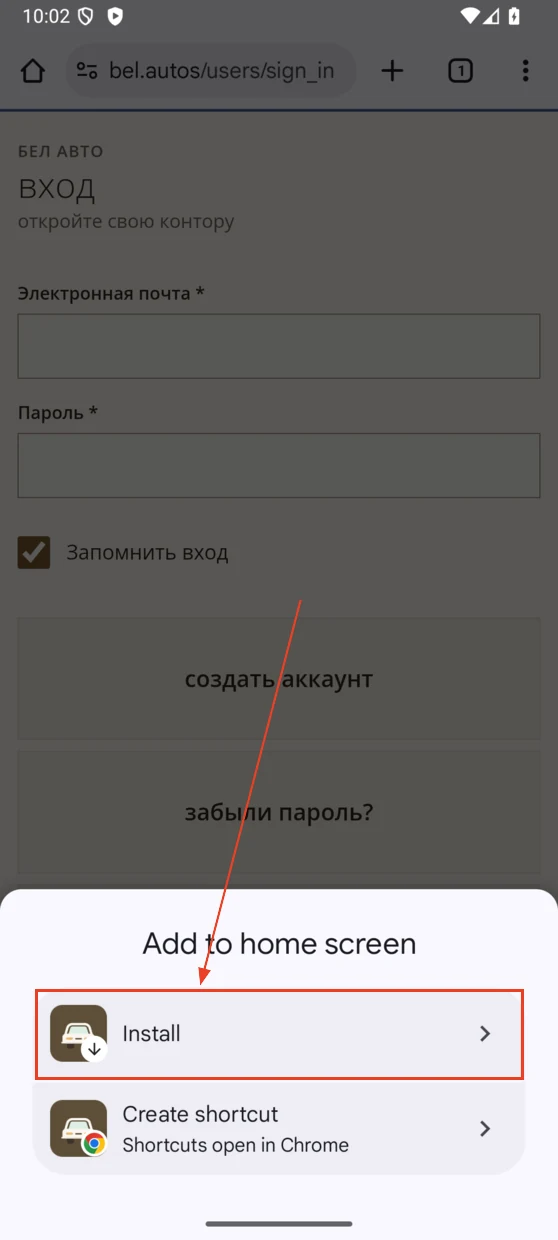
Tap Install
It is the first item in the panel that opens.
-
Tap Install again
Confirm in the window that appears.
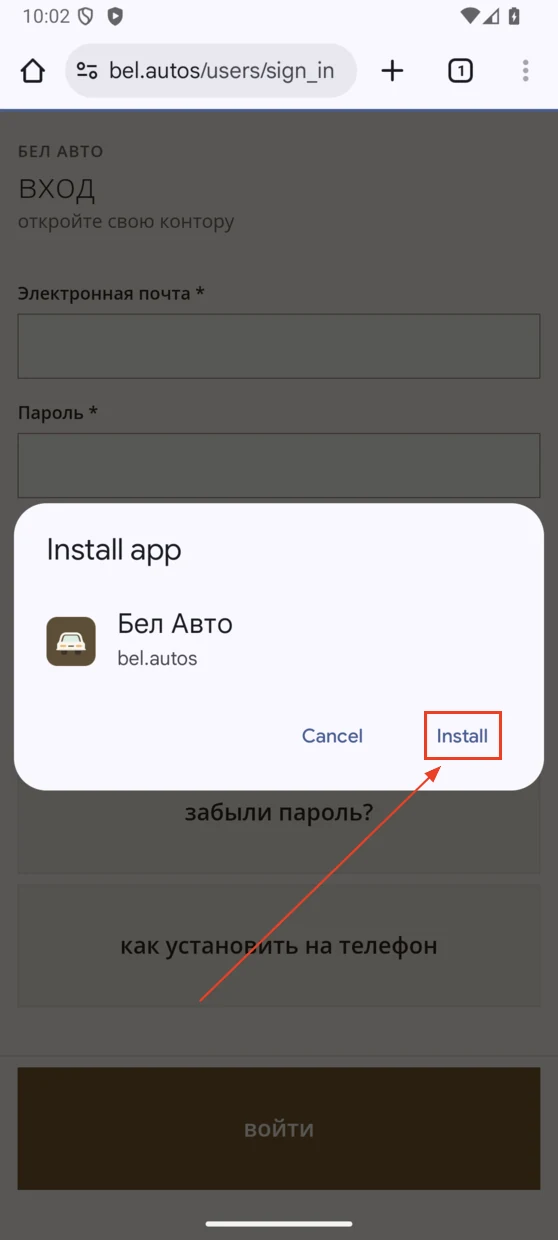
Done! The Bel Autos icon will appear on your phone's Home Screen.
Wrong phone shown?
Choose your phone to see the right steps.
Having trouble?
If you cannot find the dots or Add to Home screen, open this page in Chrome, outside Telegram. The app may already be installed.
If a test site access prompt appears, enter the login and password you were given.
The app needs internet access to work.