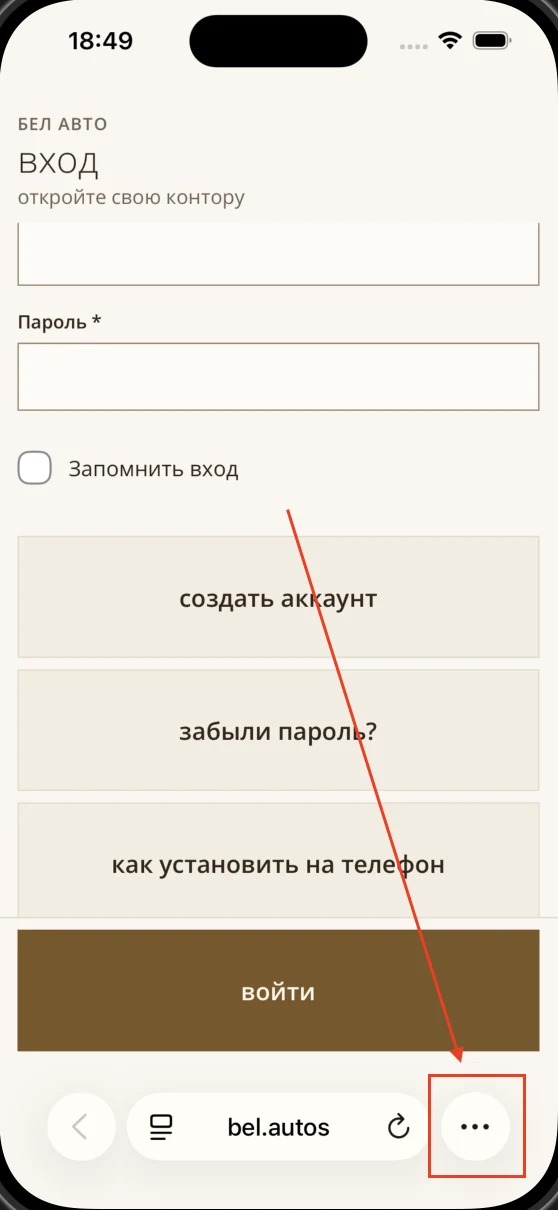
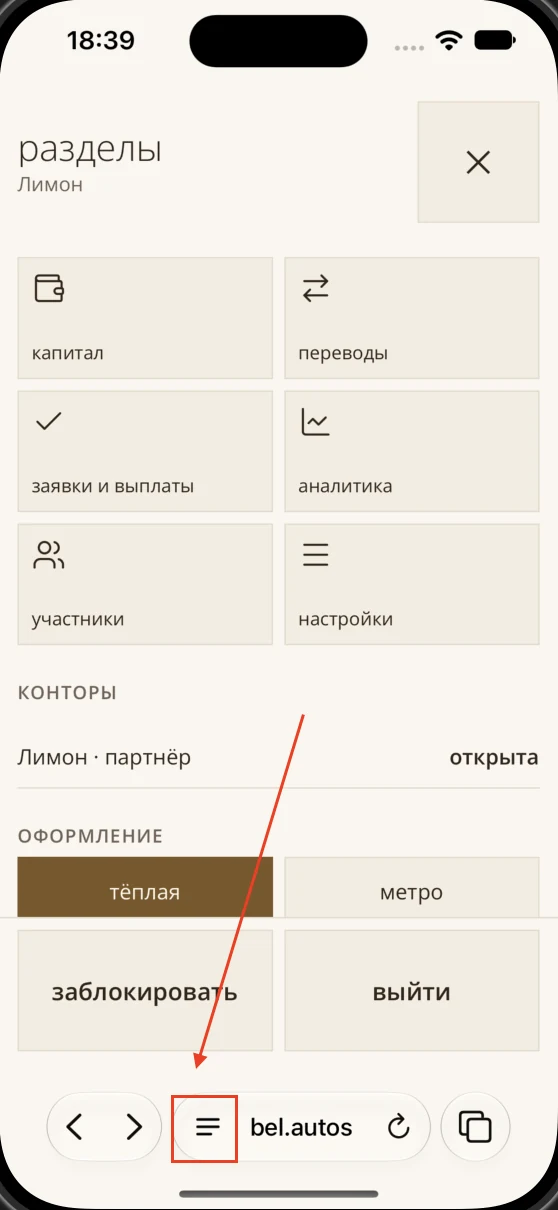
Tap the three dots beside the address
Bel Autos
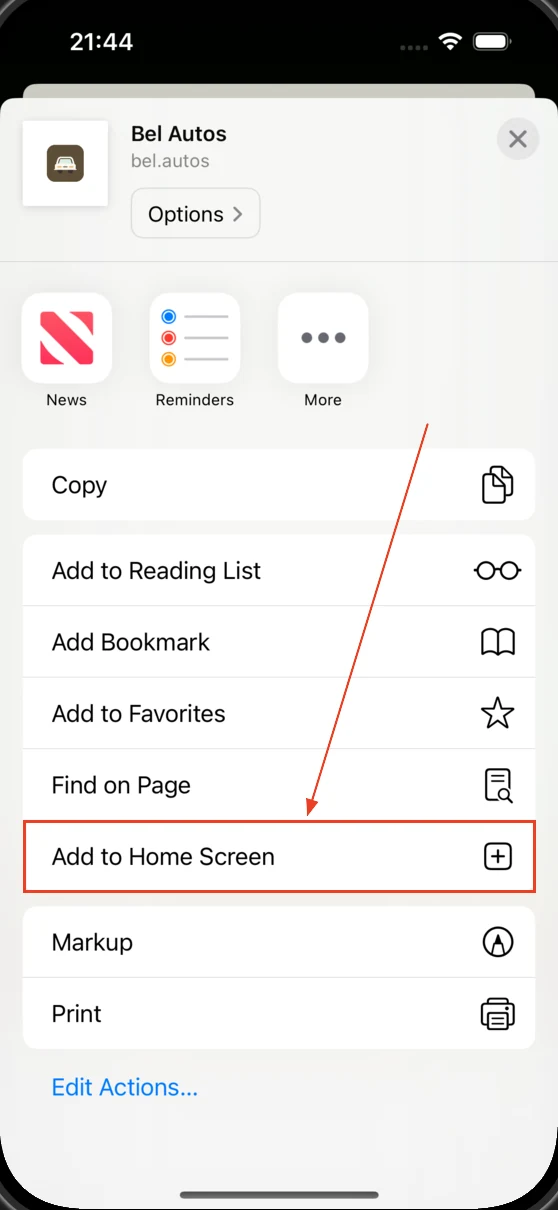
Choose the button you see in Safari on your phone.
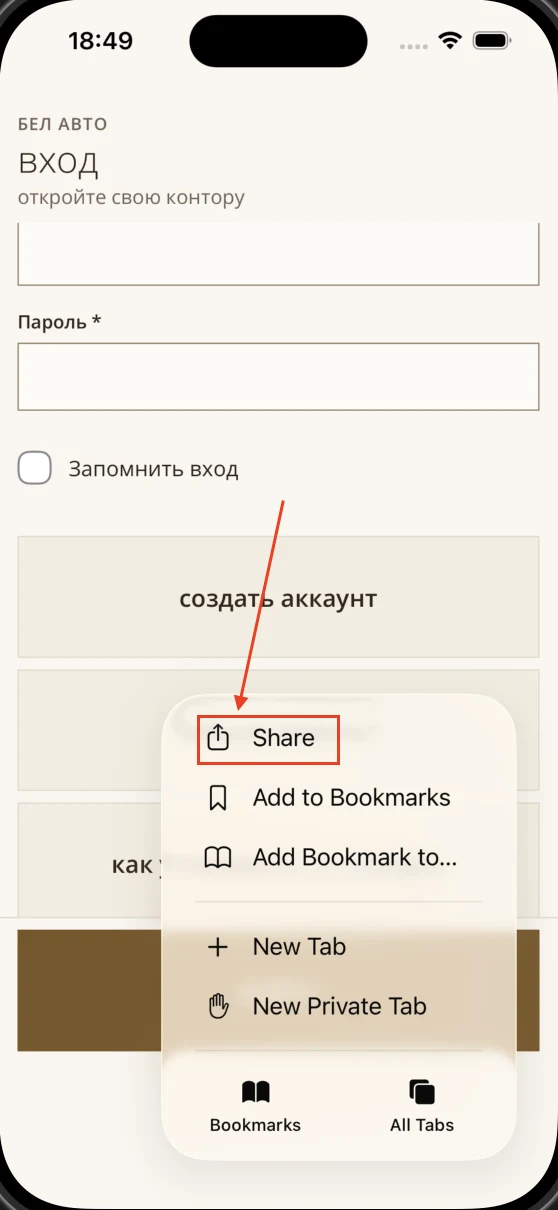
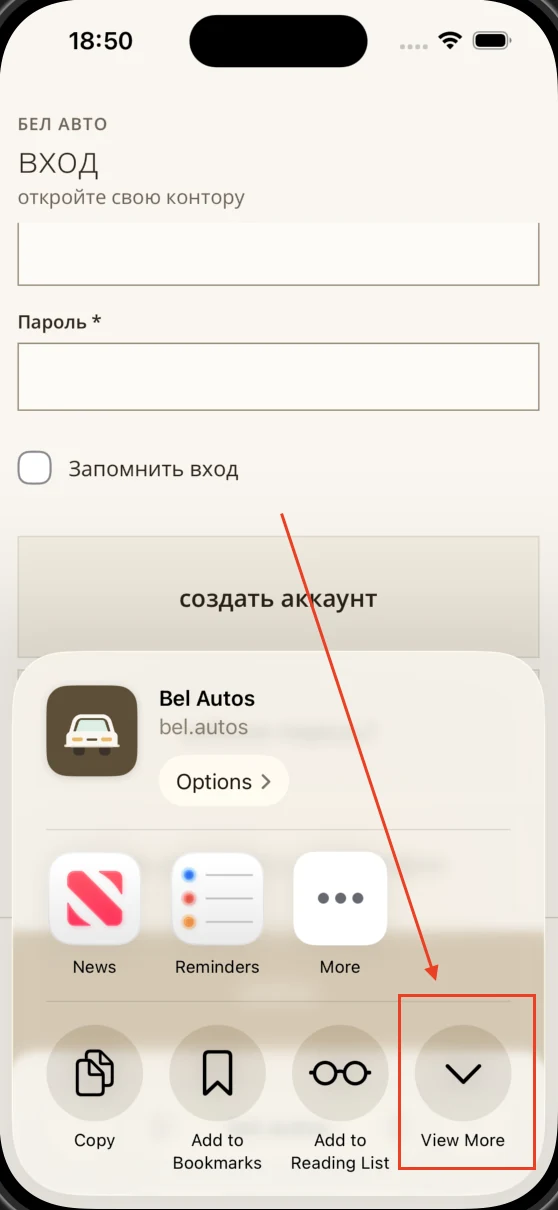
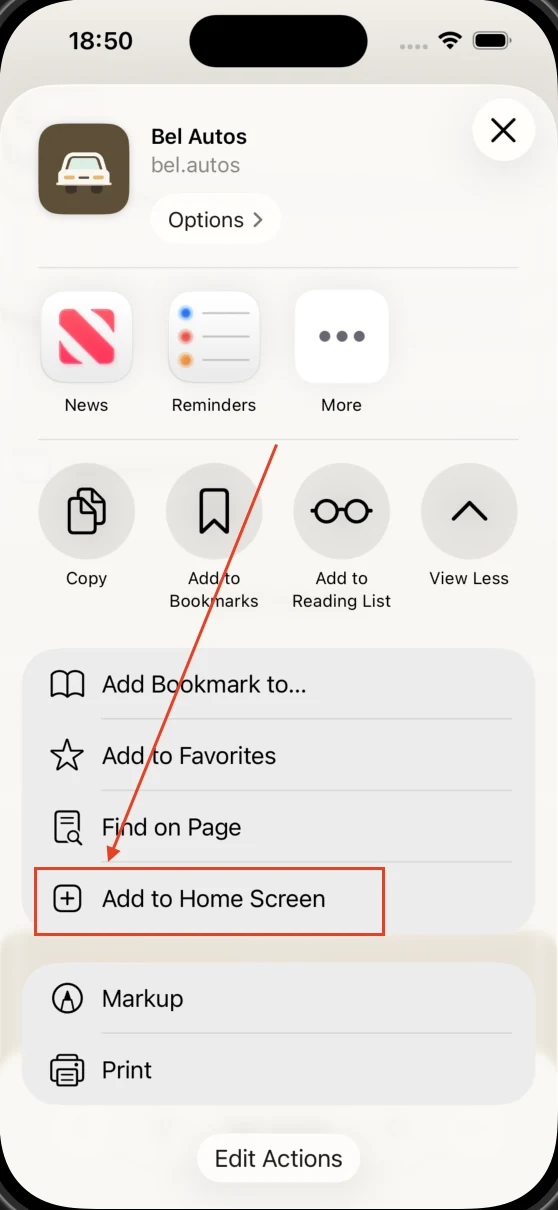
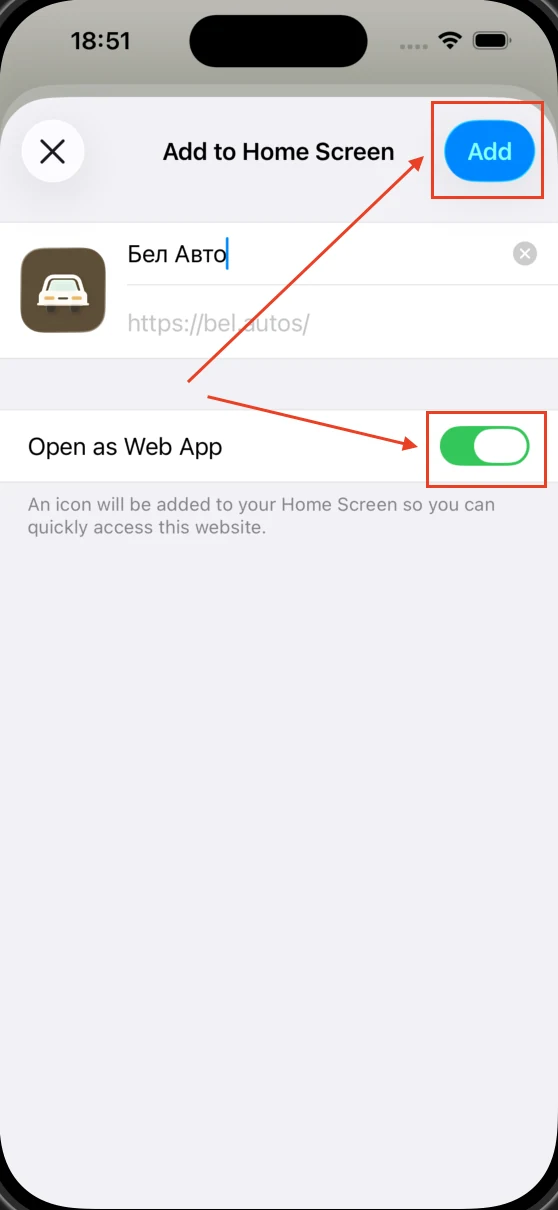
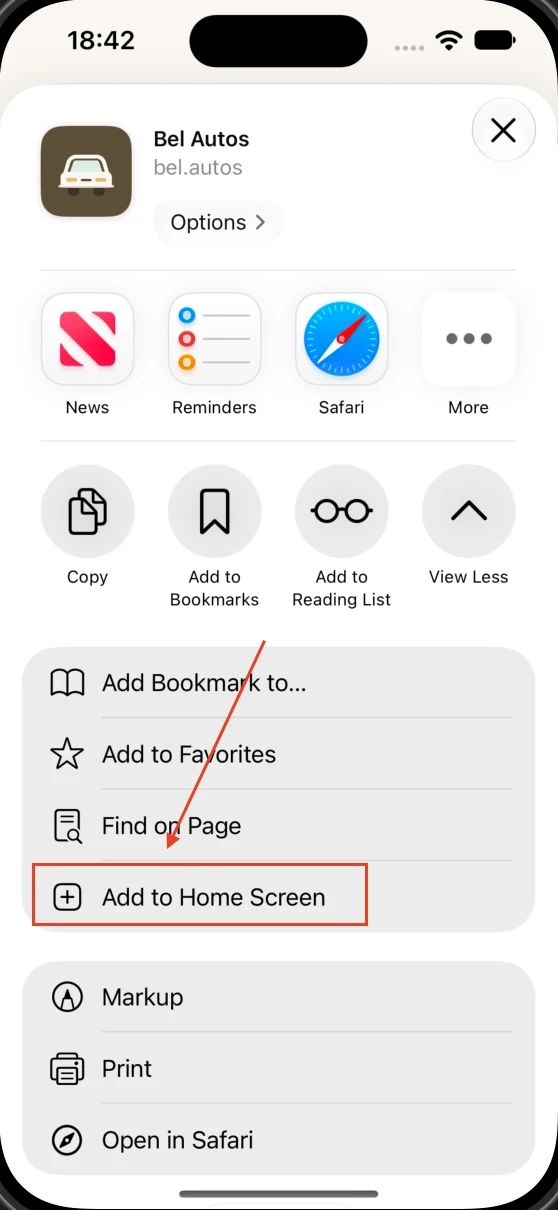
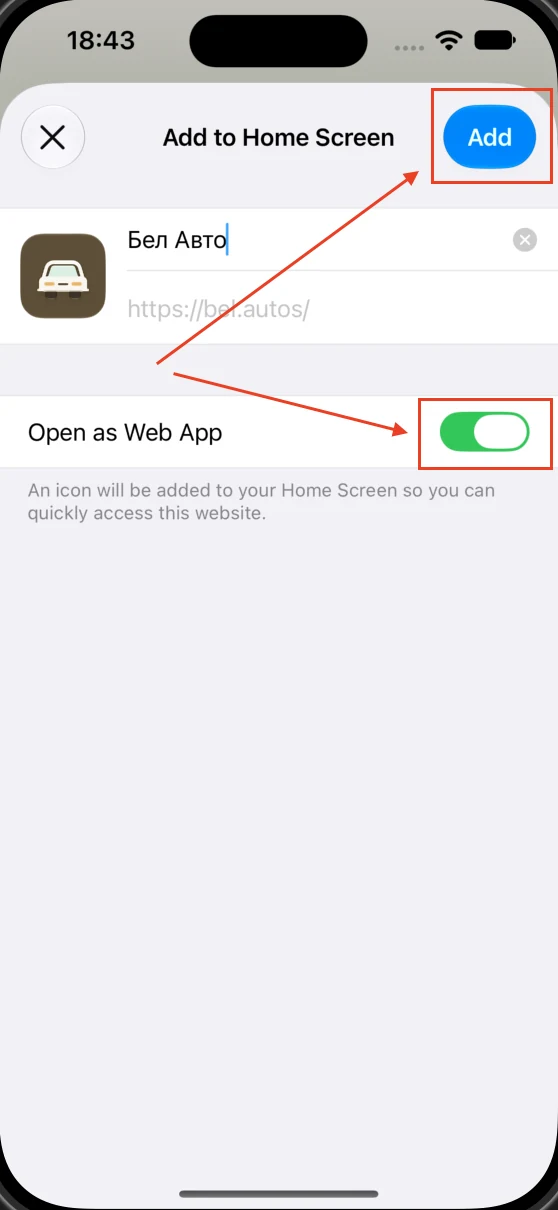
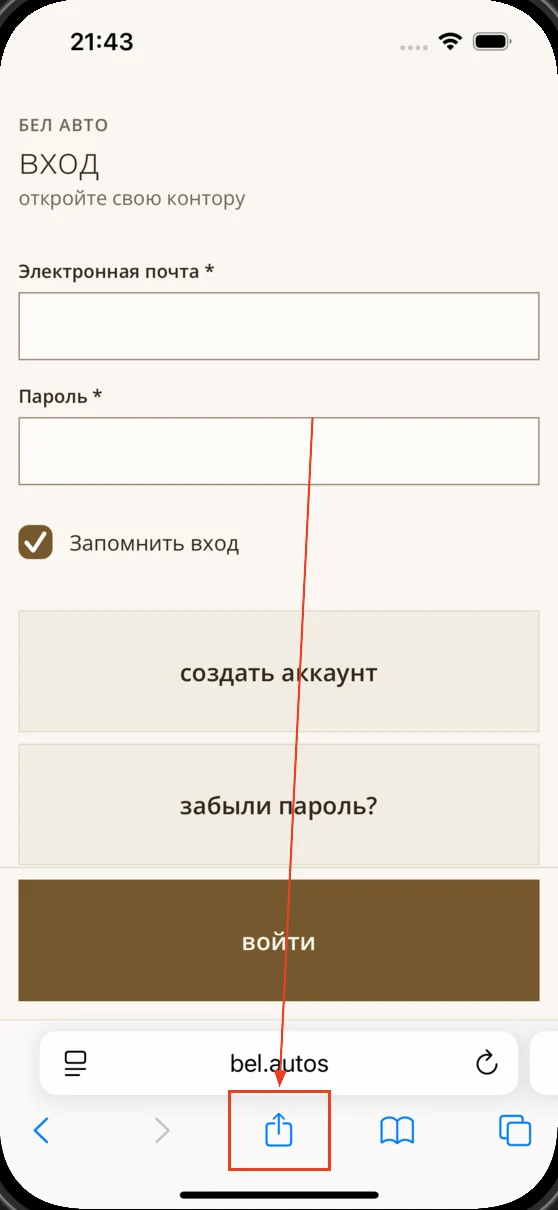
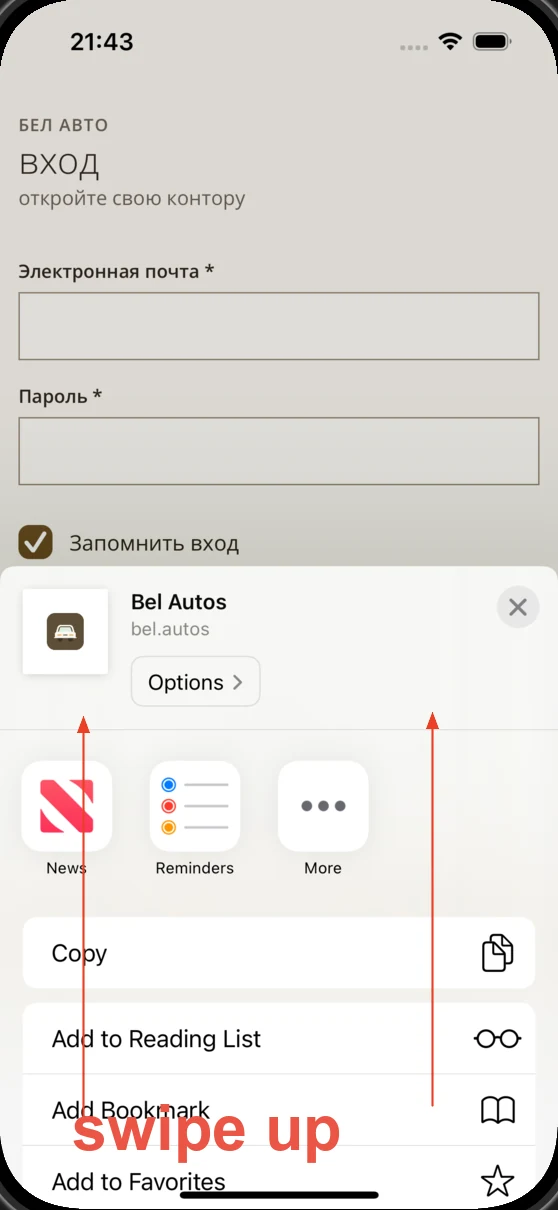
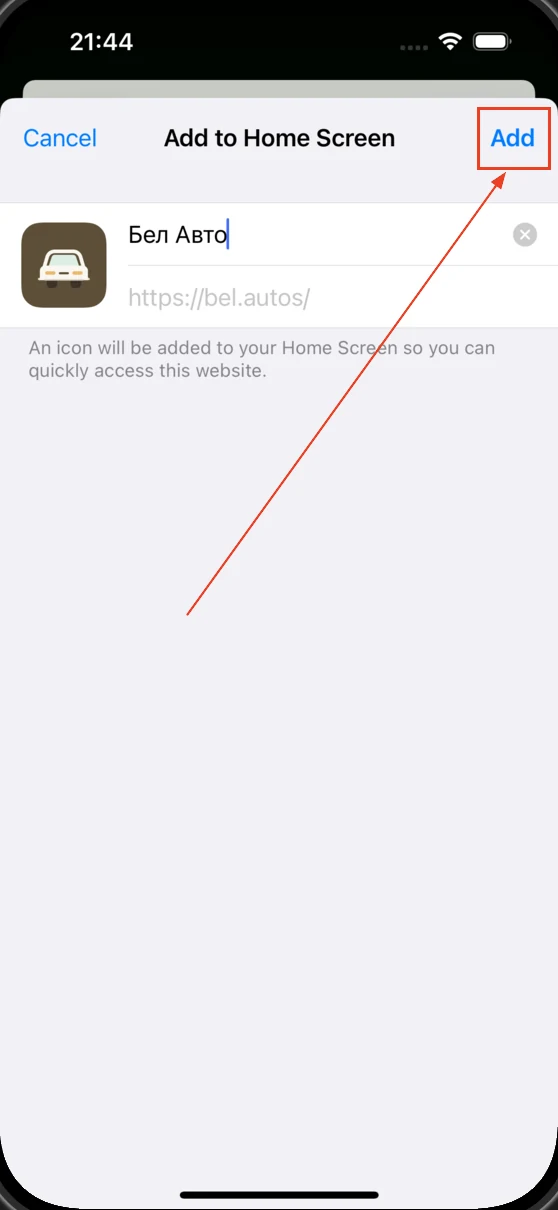
Done! The Bel Autos icon will appear on your phone's Home Screen.
Do these actions on your phone, not on this computer.
Choose your phone to see the right steps.
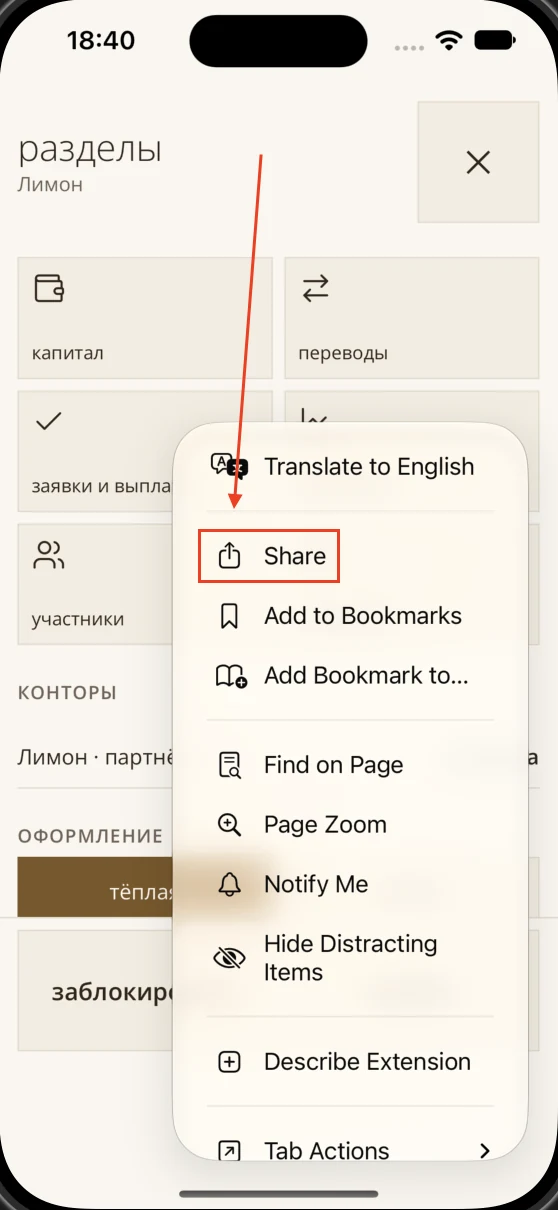
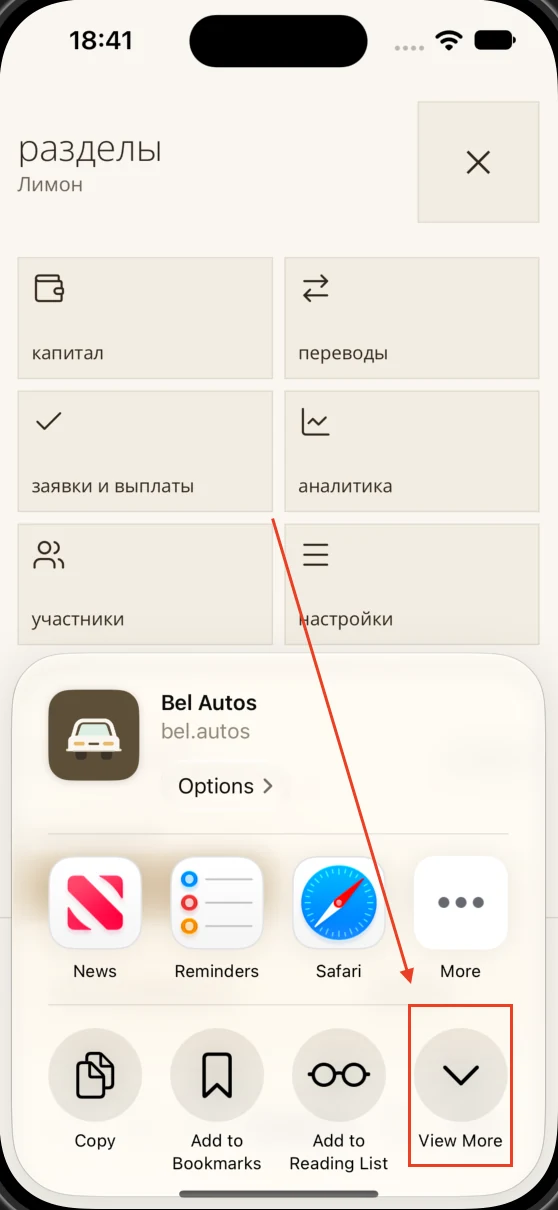
If Add to Home Screen is missing, scroll to the bottom of the Share menu and tap Edit Actions. Then add Add to Home Screen.
If a test site access prompt appears, enter the login and password you were given.
The app needs internet access to work.